July 14, 2026
Every Tuesday we send our customers one quick tip to help them get the most out of Punchpass.
July 14, 2026
July 7, 2026
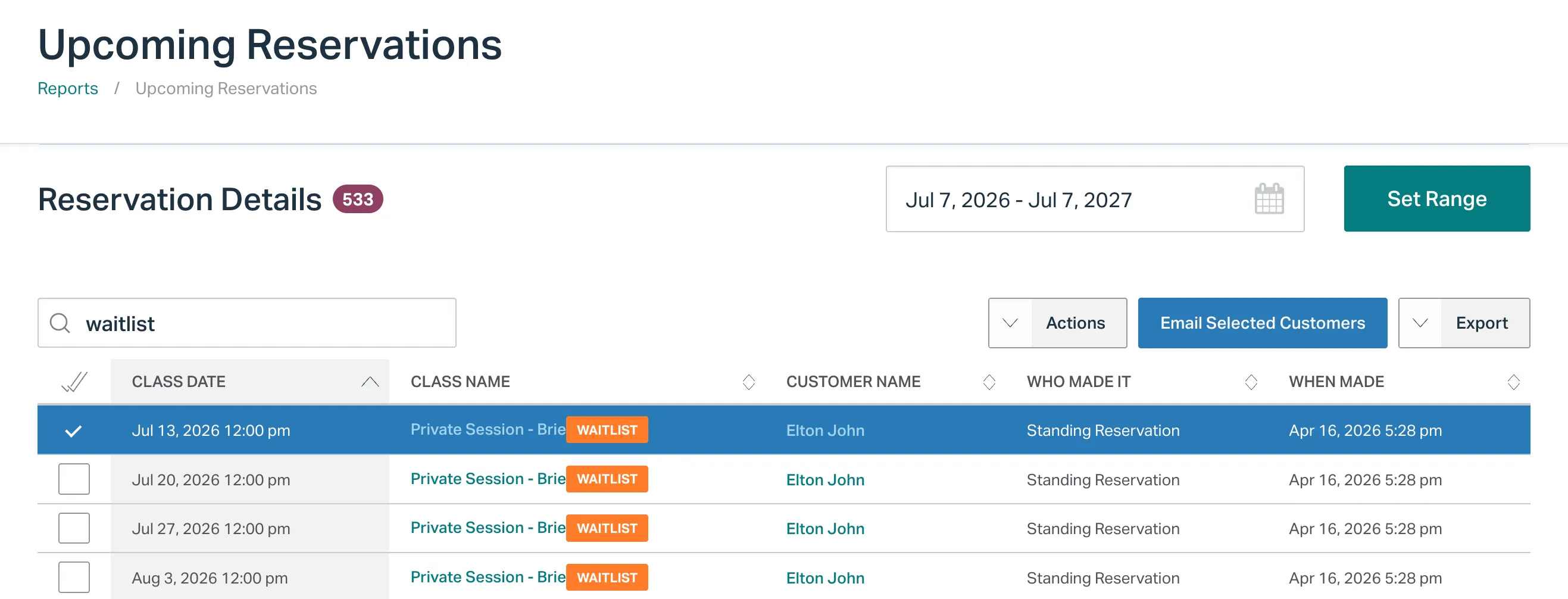
Head to Reports > ++Upcoming Reservations++ and simply type Waitlist into the search bar to pull up Waitlisted Reservations. You can then easily select and email the customers from the report:

June 30, 2026

We’ve just introduced a quick-add option right from a class instance. Now you can add a bunch of people to a recurring classtime with ease:

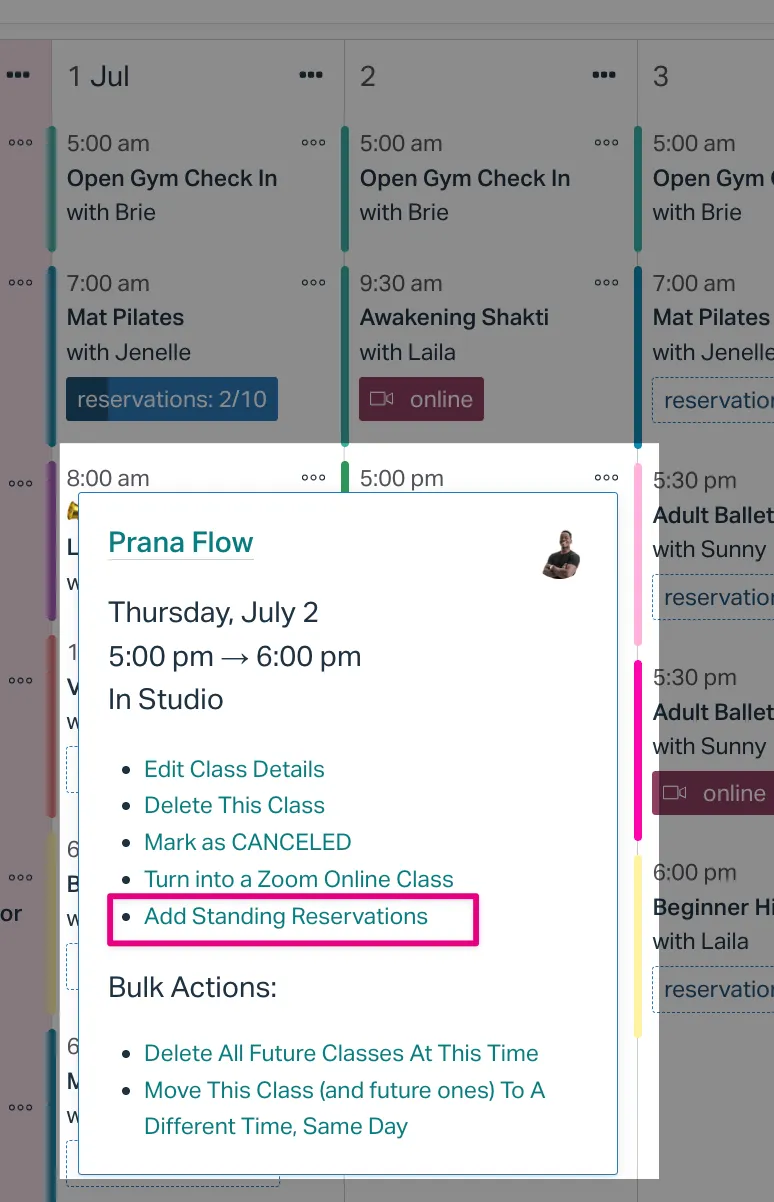
You can also access this option from the schedule:

June 9, 2026
At Punchpass, we believe every human being deserves to live freely without judgement and persecution 🏳️🌈
That’s why we built our Pride flag add-on, and why it’s available every single day of the year, not just in June.

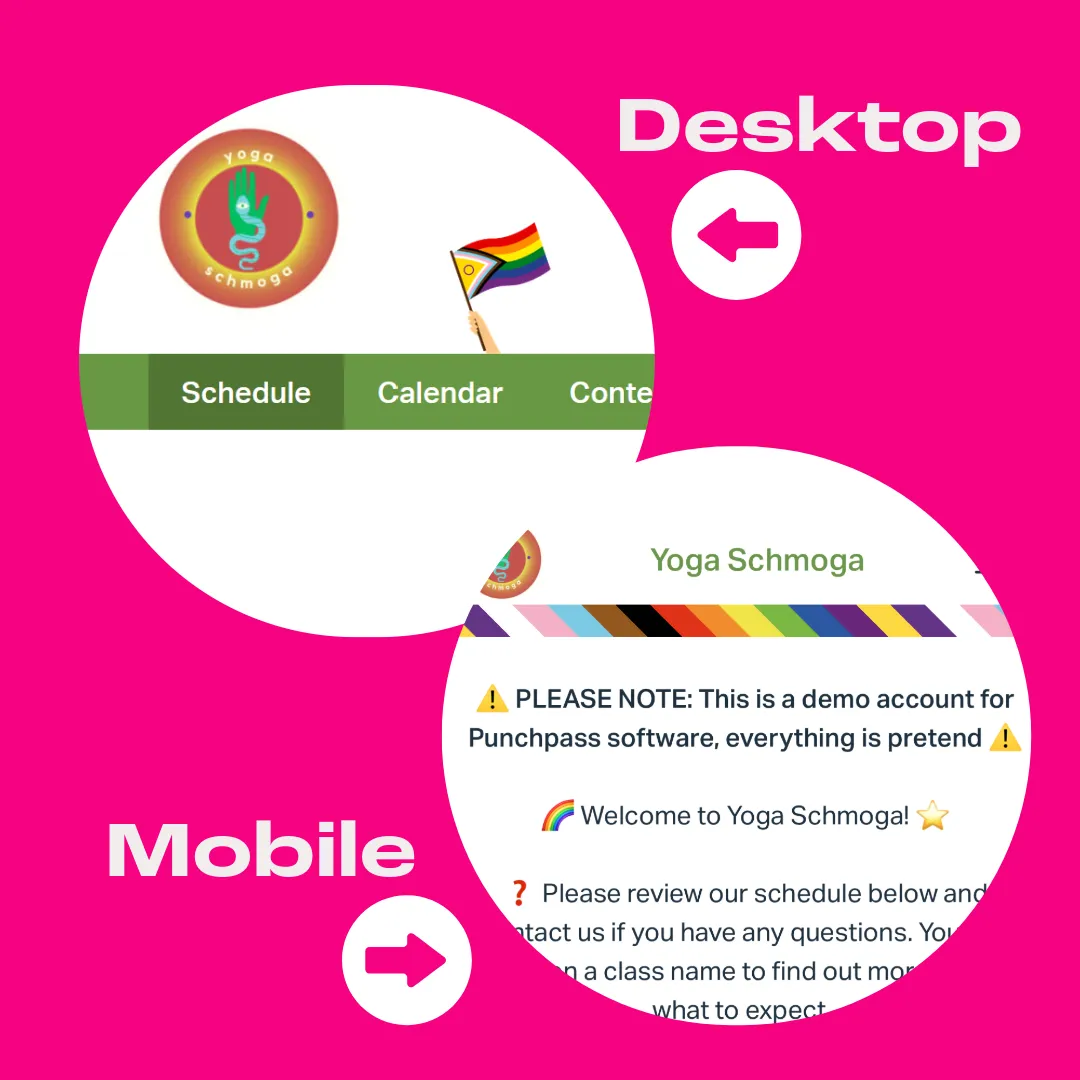
Fly the flag on your public pages and let your community know exactly where you stand. It takes one click to opt in from your Public Web Pages settings, and it means everything to the people who see it.
June 2, 2026
Catalogs let you organize your passes, memberships, and gift cards into clean, easy-to-browse categories. No more long, jumbled lists for your customers to scroll through!
You can use our automatic categories or create your own custom ones (think “New Customer Offers” or “Private Training Passes”). Each category even gets its own share link so you can send customers directly to what they’re looking for.
Want inspiration? Check out how a few studios are using catalogs:
It only takes a few minutes to set up! Learn how to customize your Purchase a Pass page →